Posts

Basic .NET Framework

1. What is an IL? A. MSIL stands for Microsoft Intermediate Language in short MSIL or IL(Intermediate Language). When you compile a program the CLR will compile the code into MSIL code. Which will then be included in the assembly[exe/dll]. When you run the program in client place. The clr will manage to convert the MSIL into machine language by a process called Jitting. When we compile our .Net Program using any .Net compliant language like (C#, VB.NET, C++.NET) it does not get converted into the executable binary code but to an intermediate code, called MSIL or IL in short, understandable by CLR. MSIL is an OS and H/w independent code. When the program needs to be executed, this MSIL or intermediate code is converted to binary executable code, called native code. The presence of IL makes it possible the Cross Language Relationship as all the .Net compliant languages produce the similar standard IL code. 2. What is a CLR? A. CLR Stands For common language runtime...
Tales from the Interview

I came accros this collection of interview stories and I could not not help but share them.Hope you'll enjoy them as much as I did. The Beacon of Hope and A Positive Attitude    2012-05-30 by Alex Papadimoulis in Tales from the Interview My phone interview for a senior developer position in the banking industry started off pretty well. The jovial and affable development manager told me that my CV stood out "like a beacon of hope compared to the vast oceans of crap applicants" he had been sent by HR and various recruitment consultants. "I just have one question," he said with a smile in his voice, "how soon could can you start?" I chuckled, and then he told me it was time to do some actual interview questions. He started with a simple one: "Have you used WCF?" "Yes," I replied, "I've used DataContracts and—" He cut me off with "have you used a reporting tool like Crystal Reports?" "Wel...

How to Bridge Wired Routers

By an eHow Contributor. If wired routers are not properly configured, they will stay in constant competition for control of the network, disrupting your connection to the Internet. Usually one wired router is bridged so you can add a wireless network. You may choose to bridge two wired routers if you want to extend networks throughout your house. You can also bridge two wired routers if you would like to increase the number of ports available for computers and other network equipment. Instructions - Bridge Wired Routers Connect one of the wired routers to your computer via Ethernet cable. The Ethernet cable looks like a cable cord with a larger telephone connection. Access your router security menu by typing http://192.168.1.1 into the address bar of your browser. Input a username and password to access your network. Refer to your manual or the underside of your router to find the default username and password. Access the local area network (LAN) address as well as th...

How to Bridge Wireless Routers

By an eHow Contributor Adding a second wireless router to a network can greatly increase the range and signal strength of the overall network. Bridging routers can also join two or more computers to a Local Area Network (LAN), allowing them to communicate with one another. The second router is a "bridge" that is there to extend the range of the primary router. Instructions - Bridge Wireless Routers Determine the coverage area. When using two or more routers, the coverage area should be divided,and each router should be placed in a location central to each subdivision. If you're adding a wireless router to an existing network, this might mean moving the first router. Decide which router is the primary router. The primary router is connected to the Internet, a wired LAN or other networks. It should be the one closest to the wired network connections or the one with the best line of sight to another wireless network. Also, the primary router should be a high-e...

How to Restore the Windows 7 MBR (Master Boot Record)

Image
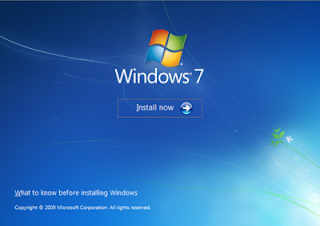
Here's How : 1. Boot your computer to the Windows 7 DVD (or to a "Repair CD"). At this screen choose to install now. 2. Select your language and click next. 3. Click the button for "Use recovery tools". 4. Then select "Command Prompt". 5. When open, the command prompt will look like this: 6. The command we will use, bootsect.exe, is in a folder (named boot) on the DVD. We need to know what drive letter has been assigned the DVD drive to access the folder. Code: Type: diskpart and press Enter Type: select disk 0 (zero) and press Enter type: list volume and press EnterIn this screen shot, the 7 DVD is letter: G 7. Use your DVD drive letter and Code: Type: exit and press Enter to close Diskpart Type: G: (use the letter of your DVD drive) and press Enter Type: cd boot and press Enter Type: dir and press Enter to verify that bootcect.exe is there (if you really need to) 8. To restore the "boots...

Oracle Merge Statement

MERGE Statement The MERGE statement can be used to conditionally insert or update data depending on its presence. This method reduces table scans and can perform the operation in parallel. Consider the following example where data from the HR_RECORDS table is merged into the EMPLOYEES table. MERGE INTO employees e USING hr_records h ON (e.id = h.emp_id) WHEN MATCHED THEN UPDATE SET e.address = h.address WHEN NOT MATCHED THEN INSERT (id, address) VALUES (h.emp_id, h.address); The source can also be a query. MERGE INTO employees e USING (SELECT * FROM hr_records WHERE start_date > ADD_MONTHS(SYSDATE, -1)) h ON (e.id = h.emp_id) WHEN MATCHED THEN UPDATE SET e.address = h.address WHEN NOT MATCHED THEN INSERT (id, address) VALUES (h.emp_id, h.address);

Determine a web site's topology

Have you ever wondered what kind of framwork or tools a particular web site is using? Well - there lots of tools out there that you can use to detect which framework or widgets are used by a website but the one I have found the most handy is - http://builtwith.com/ . Very neat and gives you a good idea of what tools a web site is based upon.